Open-source · MIT · live on npm

Generate hand-drawn wireframes of your app's screens — straight from your source code.

Point it at a repo. SketchScreens finds the screens, the fields and buttons on each, and the flow between them — and draws it all as a sketch map. Review a whole app without ever opening it.

See a live map
MIT licensedlocal-first · no phone-homeworks on any stack
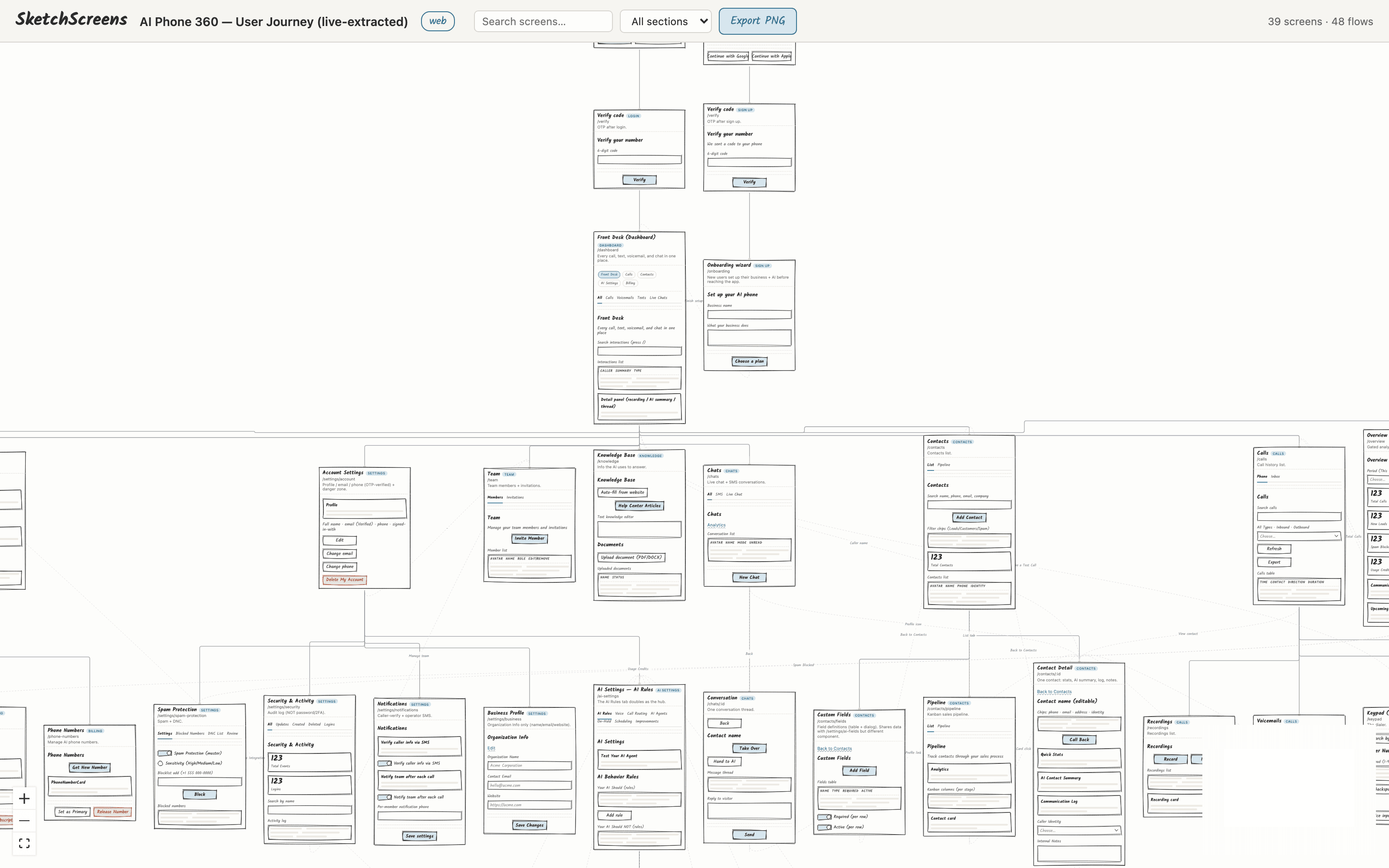
localhost:4318 — 39 screens · 48 flows
SketchScreens rendering a 39-screen, 48-flow sketch wireframe map of the AI Phone 360 web app — login, verify, dashboard, settings, billing and contacts screens wired together with hand-drawn flow arrows
real output · extracted from a live Next.js codebase
The problem

Seeing an app's screens means running it — or drawing them by hand.

Every existing tool is either plan-first (you write the plan, it visualizes it), manual (you draw it in Excalidraw or Figma, and nobody keeps it current), or a closed SaaS going the other direction — screenshot → code.

Nothing reads your actual source and draws the actual screens. SketchScreens does exactly that.

Before — a repo
src/app/page.tsx
components/UnifiedInbox.tsx
components/Settings/*.tsx
routes/onboarding.ts
lib/auth/verify.ts
…and 60 more files
npx sketchscreens
After — a map
How it works

One command. Three steps. No config.

01

Run it in your repo

npx sketchscreens — no install, no setup, nothing to configure.

02

An agent reads your screens

A coding agent reads each screen's component and emits a spec — the real headings, fields, buttons, and lists. Agent-first, so it works on any stack.

03

A sketch map opens in your browser

The renderer draws every screen as a hand-drawn wireframe, wires the flow between them, and opens it on localhost. Search it, focus it, export it.

zsh — sketchscreens
$
your repo  ──▶  extractor  ──▶  map.json (the ProjectMap contract)  ──▶  renderer  ──▶  sketch wireframe map
What you get

An app screen map generator that draws your real screens.

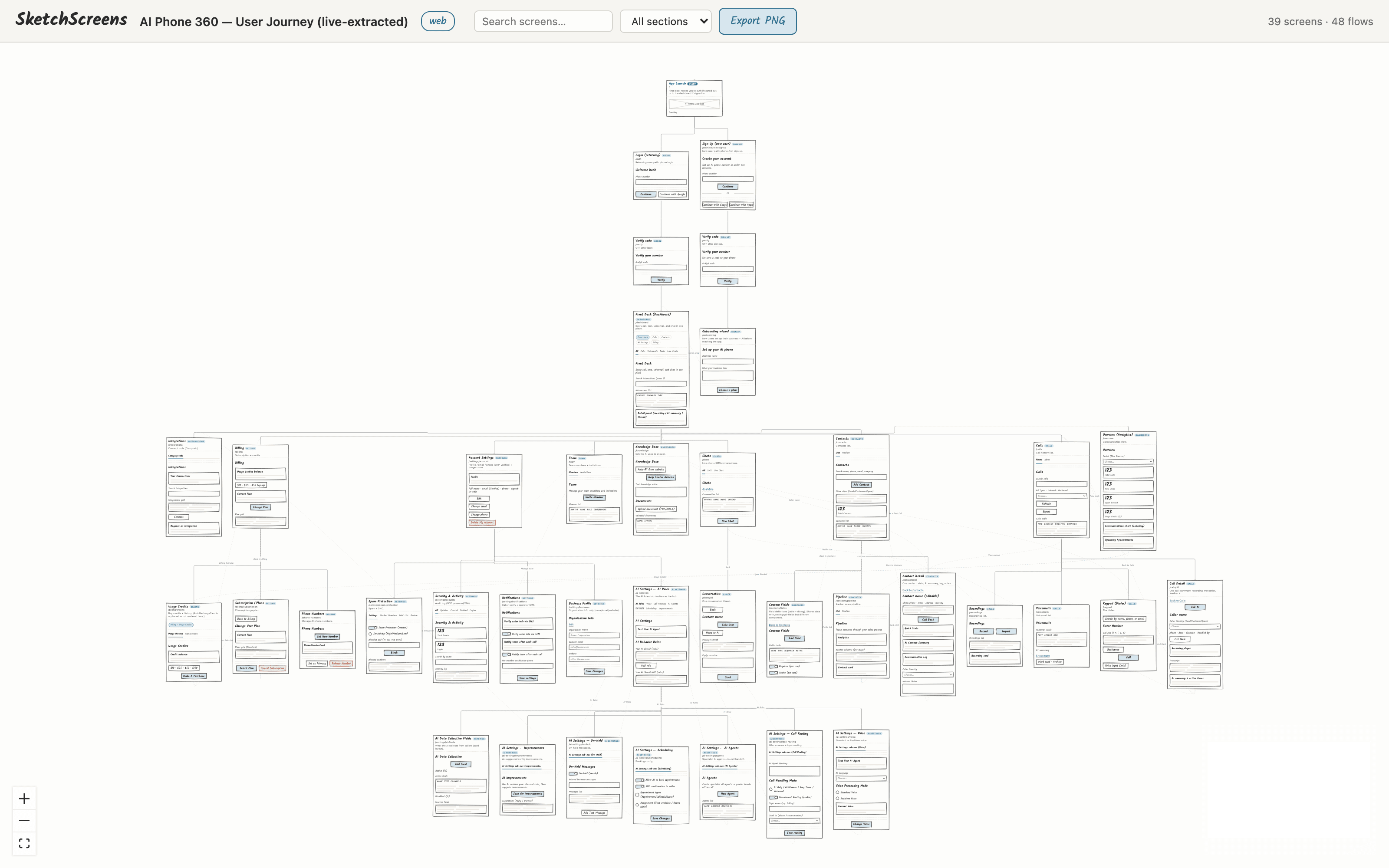
localhost:4318 — full journey
A generated app screen map of 39 screens laid out as a rooted tree with 48 flow arrows
01Every screen, mapped

An app screen map — generated, not drawn

It detects the screens that are actually wired together and lays them out as one map: entry → auth → dashboard → every section. 39 screens and 48 flows here, from a real codebase — none of it drawn by hand.

localhost:4318 — flow view
The rooted user-journey flow: App Launch to Login and Sign Up, then Verify, then the dashboard
02Review the flow without running it

See the real user journey — app never started

The map is rooted at App Launch and branches through Login, Verify, Front Desk, and out to every settings and billing screen — with the arrows labelled by what triggers each move. Read the whole flow without booting the app once.

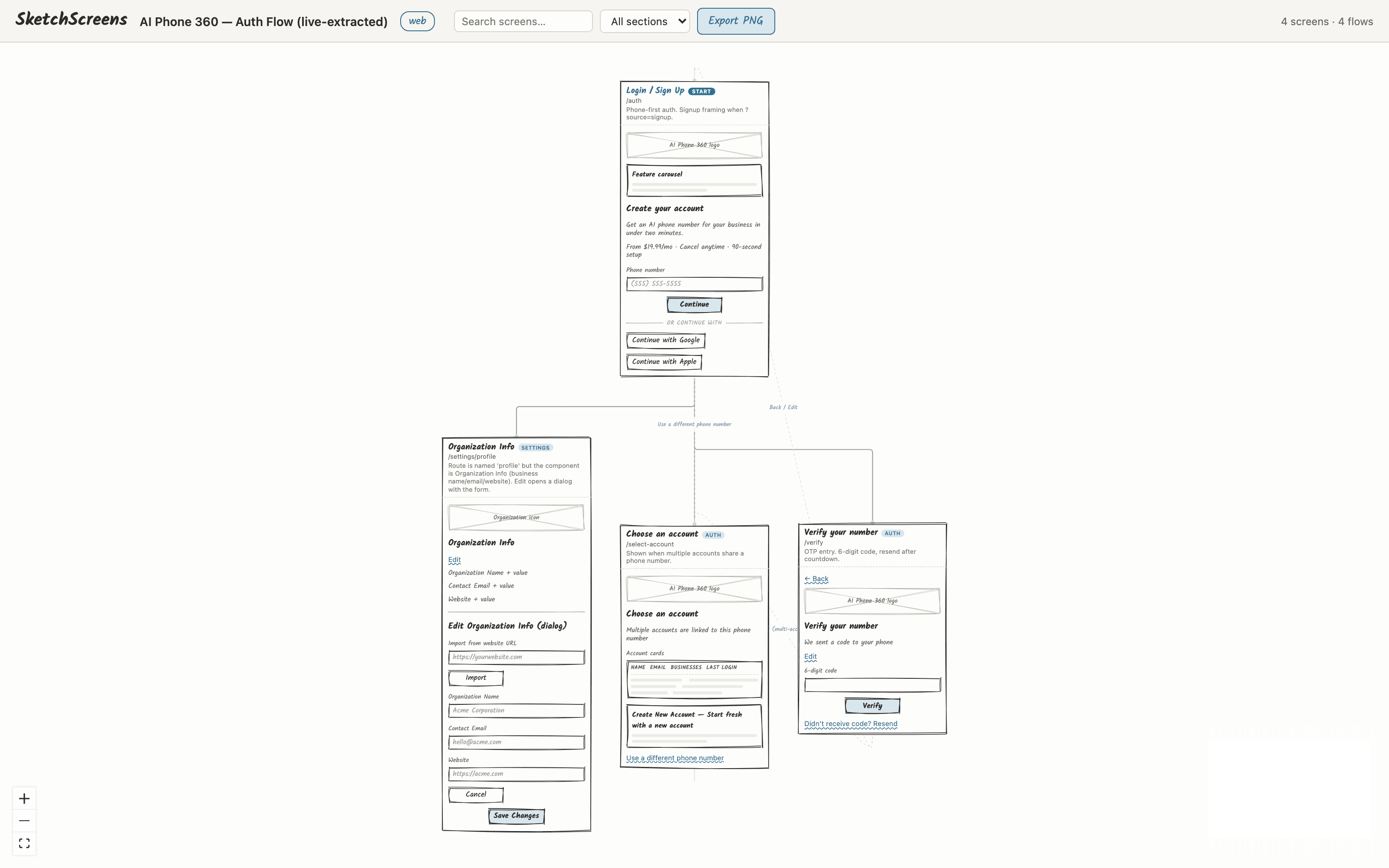
localhost:4318 — zoomed in
Zoomed-in hand-drawn wireframes showing real field labels read from the source code
03Recognizable wireframes

The real fields — not “Item one, Item two”

Zoom in and the wireframes are recognizable: “Verify your number / 6-digit code”, an Account Settings screen with a red Delete-my-account danger zone, “Your AI Should / Should NOT” rule lists. It reads the actual fields off your components — a sketch, not a lorem-ipsum mock.

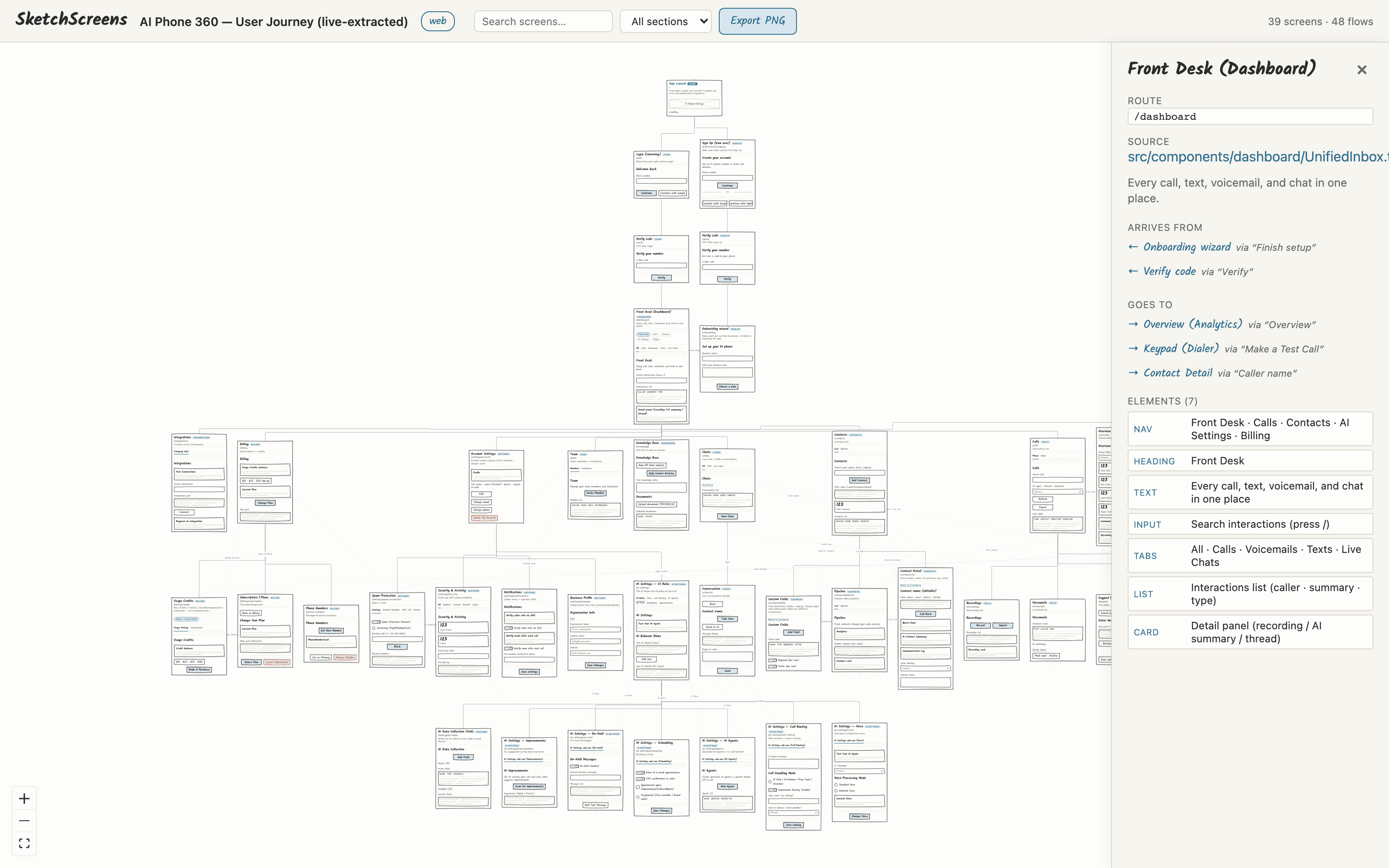
localhost:4318 — detail panel
The detail panel showing a screen's route, source file, arrives-from and goes-to flows, and its elements
04Trust, but verify

Every screen traces to a real file

Click any screen for its provenance: the route, the exact source file, where it arrives from, where it goes, and every element on it. And every run prints a coverage report — which discovered routes weren't mapped — so a silently-omitted surface can't hide.

Agent-first extraction · no per-framework parser to maintain · works with

Next.jsReactFlutterExpressVueSwiftUIRemixSvelteKitReact NativeAngularNext.jsReactFlutterExpressVueSwiftUIRemixSvelteKitReact NativeAngular
Safe by design

Nothing leaves your machine.

SketchScreens runs locally and the viewer binds to localhost. There's no phone-home. It's MIT and self-hostable — your tool, your infra. Fork it, extend it, ship it.

Local-first

Runs on your machine. The viewer binds to 127.0.0.1.

No phone-home

Nothing about your code leaves by default.

MIT licensed

Free, open, self-hostable. Truly yours.

Any stack

One JSON contract. New stack = a profile, not an engine rewrite.

Who it's for
01

Devs onboarding a codebase

Get the lay of the land in minutes — every screen and how they connect — before you touch a line.

02

PMs & designers reviewing flows

See the real flow the code implements, not a stale Figma. Catch a missing state or a dead end.

03

Agencies auditing client apps

Point it at any repo and get an honest, current map of what actually exists — across many apps.

Where it fits

Others draw modules, or you draw by hand.

SketchScreens draws your actual screens, from your code — and stays current because it's generated.

ApproachDraws your real screens?From source code?Stays current?
SketchScreensYesYesYes
Manual diagrammingYesNoNo
Architecture diagramsNoYes~Sort of
Prompt → wireframe~Sort ofNoNo
Screenshot → flowYesNoNo
FAQ

Questions, answered.

Yes — that's the whole point. SketchScreens reads an existing repo, finds the screens that are actually wired together, and draws a hand-sketched wireframe of each. No design file, no re-drawing, no re-running the app.

Map your app in one command.

Free, open-source, and local-first. Nothing to sign up for.

Get it on GitHub